Business Guides
Private AI vs Public AI for Australian Businesses
TLDR
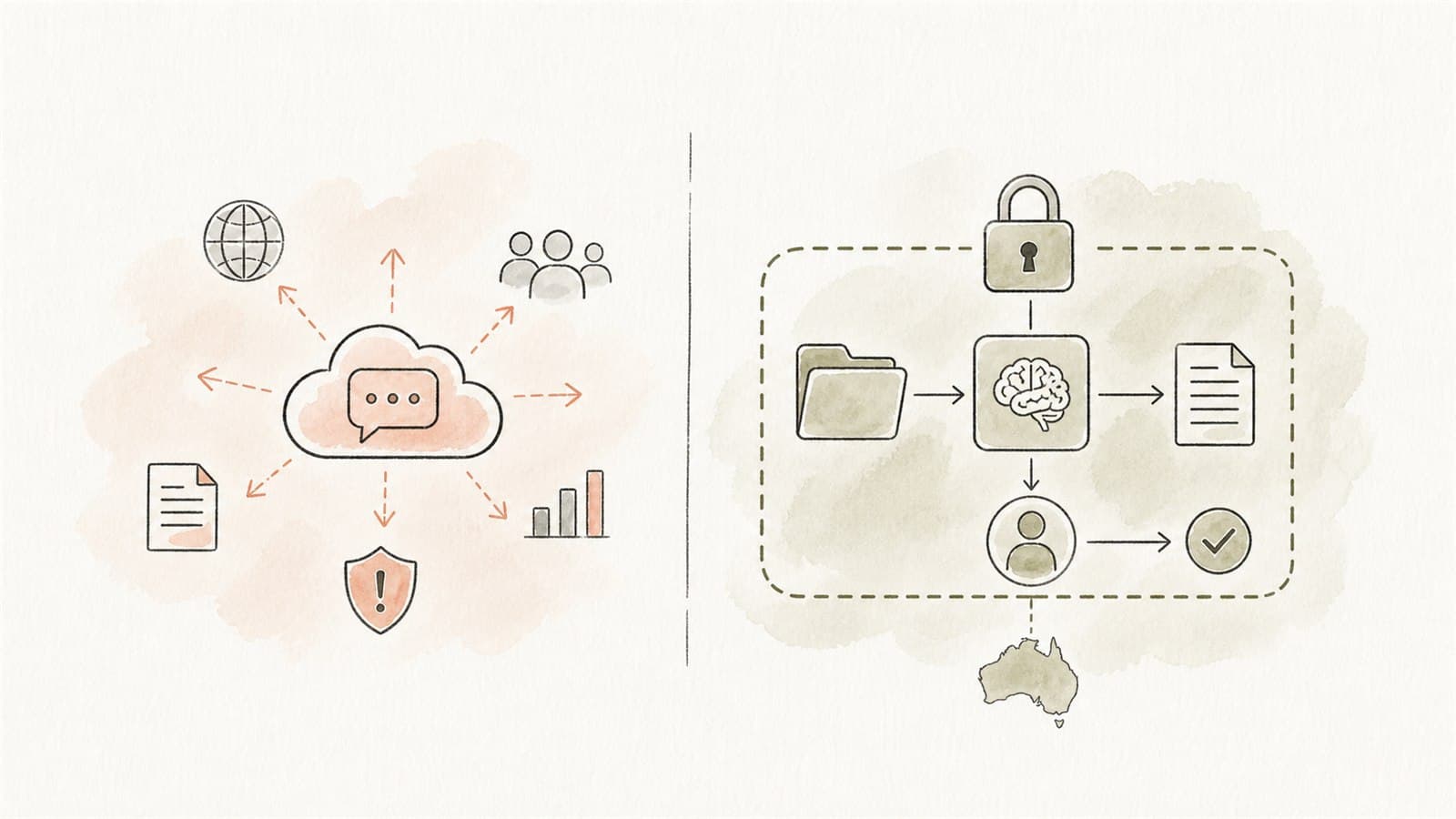
Public AI tools are useful for low-risk work: brainstorming, generic drafting, learning, summarising non-sensitive public information, and exploring ideas. Private AI workflows are better when the task involves internal documents, customer information, staff information, proprietary knowledge, regulated work, or repeatable operational processes.
For most businesses, the answer is not "public AI or private AI forever." The better question is:
Which AI tasks are safe for public tools, which need a managed business workspace, and which need a private workflow with defined data boundaries and human review?
Three common AI options
1. Public AI tools
Public tools are general-purpose AI services accessed through a normal web chat or personal account. They are easy to try and useful for non-sensitive tasks.
Good uses include:
- Brainstorming blog topics
- Rewriting generic website copy
- Explaining public concepts
- Creating checklists from non-sensitive prompts
- Drafting a template where no real customer or staff data is included
Poor uses include:
- Pasting customer records
- Processing staff information
- Uploading confidential contracts
- Sharing proprietary code or credentials
- Making decisions about people
- Using outputs without review
The OAIC recommends that organisations avoid entering personal information, especially sensitive information, into publicly available generative AI tools because of significant privacy risks. See the OAIC's guidance on commercially available AI products.
2. Managed business AI workspaces
Business workspaces are paid or managed AI products with stronger controls than personal public accounts. Depending on the vendor and plan, these may include admin controls, business terms, user management, retention settings, access controls, and stronger data commitments.
OpenAI's business data privacy page says that by default, OpenAI does not use data from ChatGPT Enterprise, ChatGPT Business, ChatGPT Edu, ChatGPT for Healthcare, ChatGPT for Teachers, or the API platform to train or improve models.
That is useful, but it is still not the whole solution. A managed workspace does not automatically tell staff what data is allowed, which outputs need approval, or whether a workflow is appropriate.
3. Private AI workflows
A private AI workflow is designed around a specific business process. It defines:
- What the assistant can read
- Which users can access it
- Which source documents are approved
- What actions the AI can and cannot prepare
- Where human review happens
- How outputs are checked
- What logs or records are retained
- How the workflow is maintained
Private AI may use local infrastructure, private cloud, business API services, retrieval systems, or a combination. The defining feature is not just where the model runs. It is the control around the workflow.
A comparison for buyers
| Question | Public AI tool | Managed business workspace | Private AI workflow |
|---|---|---|---|
| Best for | Low-risk generic work | Team productivity with admin controls | Repeatable business processes using internal data |
| Data boundary | Staff must self-manage prompts | Better terms and admin settings | Designed around approved data and permissions |
| Source grounding | Usually prompt-based | May support files or connectors | Built around approved source sets |
| Human review | Informal | Policy-dependent | Designed into the workflow |
| Auditability | Limited or plan-dependent | Better on higher plans | Can be built around records and logs |
| Setup effort | Low | Medium | Medium to high |
| Risk level | Best kept low | Depends on usage | Can support sensitive workflows when designed properly |
Use public AI when the data is public or generic
Public AI can be a practical training ground. It helps staff learn how prompts work, how outputs need review, and where AI is useful.
Use it for:
- Drafting generic email templates
- Creating internal training examples from fictional scenarios
- Turning public website copy into shorter versions
- Explaining broad concepts
- Creating meeting agenda templates
- Brainstorming process-improvement ideas
The rule is that the prompt should not expose information your business has a duty to protect.
Use a managed business workspace when staff need everyday AI
A managed business workspace can make sense when staff use AI regularly for low to moderate risk work and the business wants centralised accounts, data terms, user management, and clearer policy settings.
It may be appropriate for:
- General drafting
- Internal productivity
- Analysis of approved non-sensitive documents
- Team learning
- Low-risk ideation
- Support for non-confidential business writing
The business should still define allowed data, prohibited data, review expectations, and escalation rules.
Use private AI when the workflow depends on business data
Private workflows become important when the AI needs to use internal information to be useful.
Examples:
- A clinic admin assistant that searches approved SOPs and prepares internal notes
- A document-processing workflow that extracts fields from forms for staff review
- A customer enquiry assistant that prepares draft replies from approved service information
- An internal knowledge assistant grounded in policies, manuals, and onboarding material
- A report summary workflow for technical, operational, or finance teams
In these cases, "just use a public chatbot" usually creates avoidable risk and inconsistent outputs.
The governance difference
The Australian Government's Guidance for AI adoption: foundations sets out six essential practices: decide who is accountable, understand impacts and plan accordingly, measure and manage risks, share essential information, test and monitor, and maintain human control.
Private AI workflows make those practices easier to operationalise because the system is narrower. You can point to the workflow owner, the data source, the review point, the test examples, and the limits.
With loose public AI use, those controls often live only in staff judgment. That can be fine for harmless tasks. It is not enough for sensitive or repeatable business processes.
A practical decision tree
Ask these questions before choosing the AI approach.
Does the task involve personal or sensitive information?
If yes, avoid public tools. Consider whether the information can be minimised, de-identified, or processed in a controlled private workflow.
Does the task use internal documents?
If yes, decide whether those documents are approved for AI use. A private retrieval workflow may be better than repeatedly uploading documents into chat.
Will the output affect customers, staff, money, safety, or compliance?
If yes, add human review and accountability. Do not let the model become the decision maker unless the risk has been deliberately assessed and governed.
Does the team need the same workflow every week?
If yes, build a workflow. Do not rely on every staff member inventing prompts from scratch.
Can you test the output?
If no, pause. AI should not be used where the team cannot tell whether the output is correct enough for the intended use.
Common buying mistakes
Mistake 1: Treating all AI tools as the same
A personal chat window, a business AI workspace, a private retrieval assistant, and a workflow automation system are different risk categories. Compare the data flow and controls, not just the model name.
Mistake 2: Starting with the most sensitive workflow
Start where risk is manageable. Build trust and capability before moving into high-impact use cases.
Mistake 3: Ignoring source quality
If the approved material is stale, contradictory, or scattered, a private assistant will surface that problem quickly. Fix source ownership and document quality early.
Mistake 4: Removing human review too soon
AI is useful for preparing work. In most business workflows, people should still approve important outputs.
Mistake 5: Buying before mapping
Map the workflow first. The right deployment option becomes clearer once you know the data, users, actions, risks, and review points.
The simplest buyer rule
Use public AI for public or generic work. Use managed business AI for staff productivity under policy. Use private AI workflows when the assistant needs internal data, repeatability, permissions, and human review.
That keeps AI practical without pretending every use case has the same risk.
Talk through your options
Eleticle runs a free session to help Australian businesses map one workflow and decide whether public, managed, or private AI fits it. If that would help, you can also read how a free session works.