Technical Notes
Building a RAG Knowledge Base with Phidata (Agno) and a Local LLaMA Model
Introduction to RAG
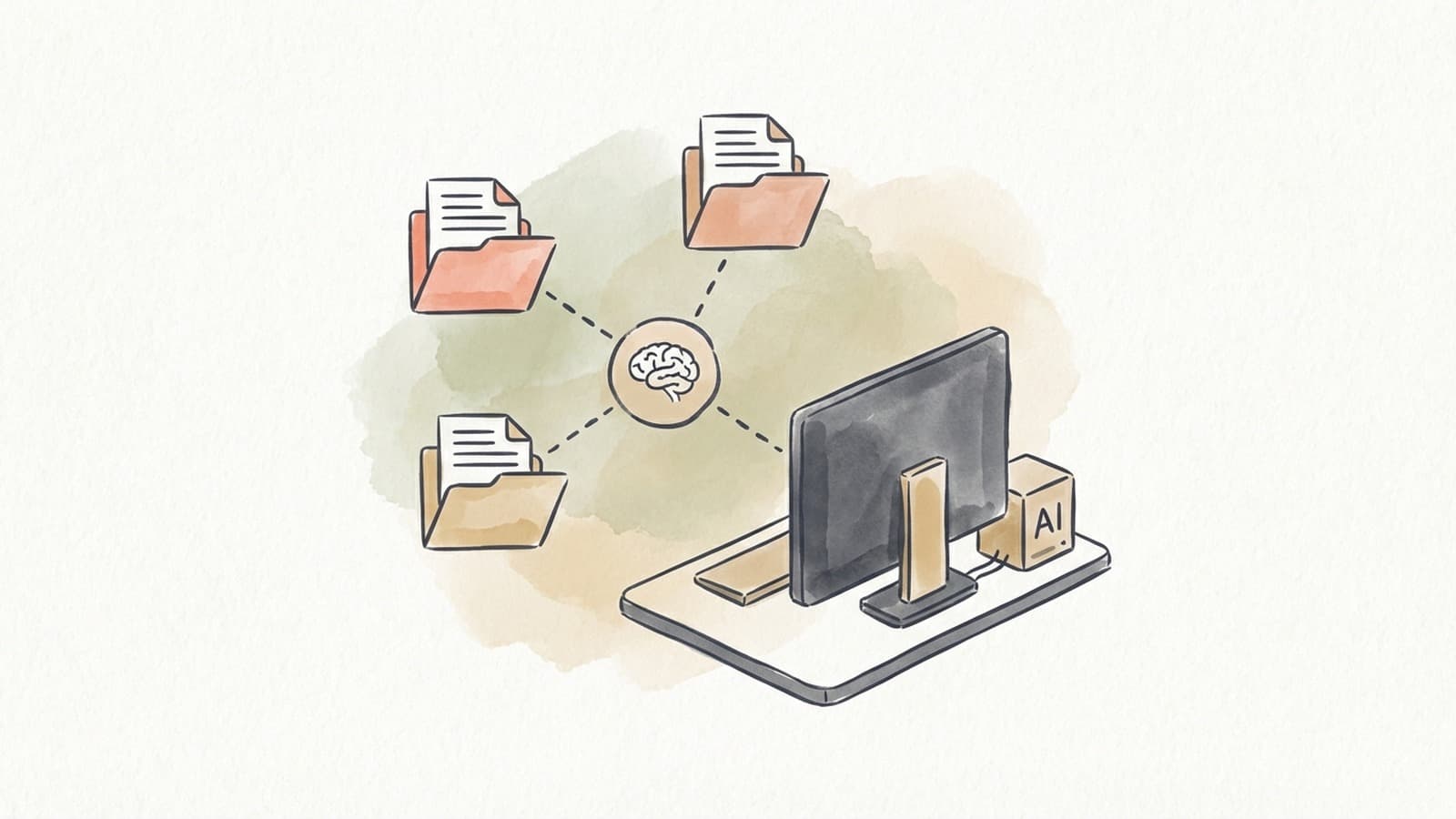
Retrieval-Augmented Generation (RAG) is a technique that enhances a language model's output by “stuffing the prompt with relevant information” from an external knowledge base (Phidata). In practice, this means the system first retrieves relevant data (e.g. documents or text snippets) related to a user’s query and then augments the model’s prompt with that data before generating a response. This two-step approach (retrieve then generate) leads to answers that are often more accurate and up-to-date than what the model can produce from its built-in knowledge alone (phData) (phData).
In a business context, RAG enables creation of intelligent knowledge base assistants. For example, an internal chatbot for HR or IT can fetch company-specific policy documents or FAQs to provide detailed answers instead of giving generic or outdated responses. By pulling in the organization's latest data during generation, RAG helps mitigate hallucinations and ensures the AI’s answers are grounded in real, relevant content (phData). The result is a knowledge base that can answer employee or customer questions with higher accuracy, making RAG a powerful approach for business Q&A systems, customer support agents, and corporate information portals.
Setting Up the Environment
To build a RAG pipeline with the Phidata (Agno) framework and a local LLaMA model, first prepare your development environment:
-
Install Phidata (Agno) – Phidata (recently renamed to Agno) is a Python framework for building AI agents and RAG systems. Set up a Python 3.9+ virtual environment and install Agno via pip:
pip install -U agnoThis will install the core framework (agno-agi/agno). Agno is designed to be lightweight and model-agnostic, meaning it can integrate with many AI models (local or cloud) without heavy dependencies (DEV Community) (DEV Community).
-
Install Additional Dependencies – Depending on your data sources and model, you may need extra libraries:
-
Vector database: For example, install LanceDB for a simple local vector store or PgVector for a Postgres-based store. For LanceDB:
pip install lancedb. For PgVector (PostgreSQL), install Docker (to run a Postgres container with the pgvector extension) or usepsycopg2to connect. -
Local LLaMA model support: Install Hugging Face Transformers to load the LLaMA model. For example:
pip install transformers accelerate(Accelerate helps with efficient model loading). If you plan to use Sentence Transformers for embeddings (explained later), install it withpip install sentence-transformers. -
Document processing: If your business data includes PDFs or other files, install relevant parsers. For instance,
pip install pypdfto read PDFs.
Note: The Agno framework may not automatically include heavy model packages, so installing
transformers(for LLaMA) orsentence-transformersis important if you use those. -
-
Obtain the LLaMA Model – Download or prepare your local LLaMA weights. If using LLaMA-2 (which is suitable for business use under its license), you can get the 7B or 13B chat model from Hugging Face (e.g.
meta-llama/Llama-2-7b-chat-hf). Ensure you have access (you might need to agree to the model license on Hugging Face and use an access token). You can download the model by logging in to Hugging Face (huggingface-cli login) and using the Transformers API, which will cache the model locally on first use.Example:
from transformers import AutoModelForCausalLM, AutoTokenizer
model_name = "meta-llama/Llama-2-7b-chat-hf"
tokenizer = AutoTokenizer.from_pretrained(model_name)
model = AutoModelForCausalLM.from_pretrained(model_name, device_map="auto")
This code downloads the tokenizer and model. However, since we will use Agno’s interface to the model, you might not need to run this manually — Agno can load the model by its ID if configured properly (as shown later). The key is to have the model files available locally.
-
Hardware Considerations – Running LLaMA locally requires sufficient compute. A 7B parameter model can typically run on a modern CPU (with possible quantization for speed) or modest GPU (12GB+ VRAM), while larger models like 13B or 70B need more resources. Ensure your machine meets the requirements or use optimizations (like 4-bit quantized models or offloading to disk via
accelerate) if needed.
With the environment set up and all necessary packages installed, you’re ready to start building the RAG pipeline.
Data Chunking
Chunking is the process of breaking your business data into smaller, retrievable pieces. This step is crucial – splitting documents into chunks allows the system to fetch only the most relevant piece during a query, rather than an entire document. Best practices for chunking include:
- Use Natural Boundaries: Wherever possible, split text by logical sections – e.g. paragraphs, bullet points, or sections – instead of arbitrary length. Document chunking preserves semantic meaning by leveraging the document’s structure (headings, paragraphs) (Phidata). This way each chunk is a self-contained idea or section.
- Chunk Size: Choose a chunk size that is neither too large nor too small. A common approach is a few hundred words or a few thousand characters per chunk. For instance, you might aim for ~500 tokens per chunk. Phidata’s default for fixed-size chunking is 5000 characters (Phidata), but for many cases you may use a smaller size like 1000 characters to ensure relevance. The goal is that each chunk can be quickly scanned by the model for relevancy without containing lots of unrelated text.
- Overlap: If splitting by fixed size, consider overlapping the chunks slightly (e.g. 50-100 characters overlap) so that important context at boundaries isn’t lost. This helps maintain continuity for information that spans chunk boundaries.
- Semantic Chunking: In addition to simple fixed-length splitting, more advanced strategies like semantic or recursive chunking can be used. These techniques leverage NLP to split text where topics or contexts shift, ensuring each chunk is topically coherent. For example, an algorithm might increase chunk size until a semantic change is detected, then break, which avoids cutting a sentence or a thought in half.
How to Chunk with Phidata (Agno): Phidata provides built-in chunking utilities. You can specify a chunking strategy when creating a knowledge base. For example, to chunk by document structure (paragraphs/sections):
from agno.document.chunking.document import DocumentChunking
from agno.knowledge.pdf import PDFKnowledgeBase

# Use DocumentChunking strategy for natural boundary splits
knowledge_base = PDFKnowledgeBase(
    path="data/policies",  # folder containing business documents (PDFs in this case)
    chunking_strategy=DocumentChunking(),
    vector_db=...  # we will fill this in the next steps
)
In this code, DocumentChunking() will automatically split each PDF in the folder into chunks based on its layout (e.g., one chunk per paragraph or section) (Phidata). If you wanted a fixed-size approach instead, you could use FixedSizeChunking(chunk_size=1000, overlap=100) to split every 1000 characters with 100 characters overlapping. The chunker is plugged into the knowledge_base so that when we load data, chunking is applied under the hood.
After defining the strategy, you’ll typically call knowledge_base.load() to actually read the files and produce chunks (we’ll see this in context soon). The result of chunking is a collection of text pieces, each labeled (often with an ID or source reference) so we know which document it came from. By thoughtfully chunking your business data, you set the foundation for effective retrieval.
Vectorizing Data
Once the data is chunked, the next step is to vectorize each chunk – i.e. convert each text chunk into a numerical embedding vector. These vectors capture the semantic meaning of the text, allowing the system to compare the query with chunks via vector similarity. In a RAG pipeline:
- Each chunk of text is passed through an embedding model to get a high-dimensional vector (for example, 384 or 768 dimensions are common).
- These vectors are stored in a vector database (with an association to the original text chunk). Later, a query will also be embedded into a vector and the system will find which stored vectors are closest to it in cosine or Euclidean distance, indicating semantic similarity.
Choosing an Embedding Model: For a local setup, you can use Sentence Transformers or similar models to embed text. Phidata (Agno) offers an easy integration with the SentenceTransformers library (Phidata). Sentence Transformer models (like all-MiniLM-L6-v2, all-mpnet-base-v2, etc.) are pre-trained to produce embeddings where semantically similar texts are close in vector space. These are a good choice for general-purpose embeddings and can run locally without API calls. Alternatively, you could use other embedding models (even LLaMA itself via a special embedding mode, or open-source embedding models like BGE or InstructorXL), but SentenceTransformers are simple and effective for most business text.
Using Phidata’s Embedder: Agno provides an Embedder interface for various providers. For example, the SentenceTransformerEmbedder uses the SentenceTransformers library under the hood to generate embeddings (Phidata). Here’s how you can use it:
from agno.embedder.sentence_transformer import SentenceTransformerEmbedder

# Initialize the embedder (uses default model 'all-mpnet-base-v2' if none specified)
embedder = SentenceTransformerEmbedder(model="all-mpnet-base-v2")

# Example: get embedding for a text chunk
sample_text = "Our company was founded in 2020 and specializes in renewable energy solutions."
vector = embedder.get_embedding(sample_text)
print(f"Vector dimensions: {len(vector)}")
print(f"Sample of vector: {vector[:5]}")
When you run this, the text is encoded into a dense vector. The default model all-mpnet-base-v2 produces a 768-dimensional embedding (i.e., len(vector) == 768) (Phidata). You can choose a different pre-trained model by name if needed; just ensure it's compatible with SentenceTransformers.
In practice, you won’t manually embed each chunk one-by-one – the knowledge base loading process will do it for all chunks. But it’s important to understand that under the hood, each chunk becomes an embedding vector. This vectorization enables similarity search: chunks with similar content will have vectors that cluster together in the vector space.
Phidata also supports other embedding options: for instance, an OpenAIEmbedder to use OpenAI’s text-embedding-ada-002 (if you had an API key), or even an OllamaEmbedder to use a local model via Ollama (Ollama Embedder - Phidata). But for a fully local pipeline, the SentenceTransformer approach is straightforward and doesn’t require external services.
After vectorizing the data, we need to store these vectors somewhere we can efficiently search them – that’s where the vector database comes in.
Storing and Retrieving Data
A vector database (Vector DB) is a specialized storage system for high-dimensional vectors, equipped with indexes to perform quick nearest-neighbor searches. It’s a core component of RAG: it holds all your knowledge embeddings and can rapidly return the most similar vectors to any query vector. In our pipeline:
- Storage: We will take each chunk’s embedding and save it in a vector DB, typically along with metadata (like an ID, source document name, etc.).
- Retrieval: When a user asks a question, we embed the query and ask the vector DB for the top k most similar stored vectors. The corresponding chunks are then fetched as context for the LLM to generate the answer (Phidata).
Choosing a Vector Database: Phidata (Agno) supports multiple vector DB options (Phidata), both local and cloud:
- PgVector: an extension for PostgreSQL that adds vector similarity search. This is great if you want persistence and the reliability of Postgres. You can run a local Postgres instance with pgvector enabled (the Phidata docs even provide a Docker command to spin up PgVector easily (Phidata)).
- LanceDB: an embeddable, file-based vector store that is easy to set up (just a pip install, no server needed). Good for local prototypes or moderate-scale data.
- Qdrant: an open-source vector DB server (can run locally or hosted) that offers high performance and filtering, etc.
- Pinecone: a managed cloud vector DB service (probably not used for fully local setups, but Agno can integrate with it).
- Chroma or others: not listed in Phidata docs, but ChromaDB is another local option; however, to keep within Phidata’s officially supported set, we’ll focus on the ones above.
For a business knowledge base running locally, PgVector or LanceDB are convenient:
-
PgVector gives durability and SQL capabilities. You’ll need to run a Postgres database. For example, using Docker:
docker run -d -e POSTGRES_DB=ai -e POSTGRES_USER=ai -e POSTGRES_PASSWORD=ai \
    -p 5532:5432 --name pgvector-container phidata/pgvector:16
This runs Postgres 16 with the pgvector extension on port 5532 (as per Phidata’s example) (Phidata). In Python, you’d connect with a connection string like
postgresql+psycopg://ai:ai@localhost:5532/ai. Phidata’s PgVector integration will handle table creation for storing embeddings. -
LanceDB requires no separate service. It stores data in a directory (e.g.,
./tmp/lancedb). It’s a good choice for simplicity and was used in some Agno examples (DEV Community).
Implementing the Vector Store in Code: Continuing from our previous code snippet, we can now define the vector DB for our knowledge base. Let’s use LanceDB in this guide for simplicity:
from agno.vectordb.lancedb import LanceDb, SearchType
from agno.embedder.sentence_transformer import SentenceTransformerEmbedder

# Define an embedder (if not already defined above)
embedder = SentenceTransformerEmbedder(model="all-mpnet-base-v2")

# Configure LanceDB as our vector store
vector_store = LanceDb(
    uri="data/vector_store",        # directory to store the LanceDB data
    table_name="business_knowledge",
    search_type=SearchType.vector,  # use pure vector search (or .hybrid if supported/desired)
    embedder=embedder               # our embedder for generating embeddings
)
Here we set search_type=SearchType.vector for standard vector similarity search. If we wanted hybrid search (combining keyword and vector) and LanceDB supported it, we could use .hybrid. Hybrid search can improve accuracy by considering both semantic similarity and exact keyword matches (Phidata) – useful if you have very keyword-specific queries (e.g., error codes, names) that pure semantic search might miss. Note that not all vector DBs support hybrid search; PgVector does (it can do vector + SQL text search), and LanceDB supports some filtering and possibly hybrid via Tantivy integration (as indicated by the tantivy library in Phidata’s requirements).
Now we tie the vector store into the knowledge base:
from agno.knowledge.pdf import PDFKnowledgeBase

knowledge_base = PDFKnowledgeBase(
    path="data/policies",   # directory with documents (could be PDFs or text files)
    vector_db=vector_store  # use the LanceDB store we configured
)
# Load and index the data (chunks and embeds the documents)
knowledge_base.load(recreate=False)
When you run knowledge_base.load(), the framework will:
- Read each document in
data/policies. - Chunk the document according to the default or specified strategy (if none specified, a default fixed-size chunker might be used; we could also pass
chunking_strategy=DocumentChunking()or others here as shown earlier). - For each chunk, call the
embedderto get its vector. - Store each vector (with an identifier and maybe the chunk text) in the LanceDB table.
The flag recreate=False tells it not to re-process if the data is already loaded; on first run, you might use upsert=True or recreate=True to build the index, then set it to False in subsequent runs to avoid duplicating data (Phidata).
After loading, the knowledge_base now encapsulates our vector-indexed business data. We can test the retrieval part independently: for example, try a sample query against the vector DB:
# (Pseudo-code) Example of manually querying the vector store for testing:
query = "What is our policy on parental leave?"
query_vector = embedder.get_embedding(query)
results = vector_store.search(query_vector, top_k=3)  # get 3 nearest chunks
for res in results:
    print(res.text, " (Score:", res.score, ")")
This would output the top 3 chunks related to parental leave policy, along with similarity scores. In practice, you won’t typically call vector_store.search yourself – Agno’s Agent will do it when needed – but it’s a good sanity check to ensure your data is indexed correctly.
To summarize, at this stage we have:
- Business knowledge split into chunks (with context preserved).
- Each chunk turned into an embedding vector.
- All vectors stored in a vector DB which can retrieve similar items in milliseconds.
This forms the knowledge base for RAG. Next, we connect it with the LLaMA model to complete the pipeline.
Integrating with the Local LLaMA Model
Now comes the generation part of RAG – hooking up the local LLaMA model so it can produce answers using the retrieved knowledge. We’ll use Phidata (Agno)’s agent abstraction to tie the model and knowledge base together.
1. Initialize the LLaMA Model in Agno: Agno’s model interface allows you to use local models through Hugging Face. Since we have the LLaMA model (for example, Llama-2 7B Chat) available locally, we can load it with Agno’s HuggingFaceChat model class. This class uses the Hugging Face Transformers pipeline under the hood to run the model. For example:
from agno.agent import Agent
from agno.models.huggingface import HuggingFaceChat

# Initialize the local LLaMA model (replace with your specific model ID or path)
llama_model = HuggingFaceChat(id="meta-llama/Llama-2-7b-chat-hf")

# Create an agent with the model and the knowledge base
agent = Agent(
    model=llama_model,
    knowledge=knowledge_base,
    # search_knowledge=True,  # optional: enable agent to decide when to search
    add_context=True,         # directly add retrieved context to the prompt
    markdown=True            # format responses in Markdown (useful for output formatting)
)
A few things are happening here:
- We specify
id="meta-llama/Llama-2-7b-chat-hf", which tells HuggingFace to load that model. On first run, it will download the model from the hub (unless you have it cached). Agno will use your local environment (and GPU if available) to run the model. Note: Ensure that you have accepted the model’s terms on Hugging Face and, if required, set yourHF_TOKEN(Hugging Face token) environment variable for authenticated download (Phidata). If the model is already downloaded and cached (from our earlier step), this should initialize quickly. - We create an
Agentand pass in theknowledge_base. By doing this, we equip the agent with our retrieval tool.- If
add_context=True, the agent will automatically retrieve relevant chunks from the knowledge base every time a question is asked and prepend them to the prompt context (this is a traditional RAG approach: always stuff the prompt with info) (Phidata). - Alternatively, we could set
search_knowledge=True(andadd_context=False) to use an agentic RAG approach, where the agent dynamically decides if and when to query the knowledge base (Phidata). In that case, the model can choose to call a “search tool” on the knowledge base only if the query requires external info. This can be more efficient and avoid adding irrelevant context, but it’s a bit more advanced logic. For simplicity, we’ll useadd_context=Trueso that for each user query, the top results from our vector DB are directly added to the LLaMA’s input.
- If
2. Test the End-to-End RAG: With the agent ready, let's ask a question and get an answer:
# Example query to the RAG agent
user_question = "What is our company's policy on remote work for employees?"
response = agent.print_response(user_question, stream=False)
print(response)
When this query is executed:
-
The agent will take
user_question, embed it (using the same embedder we set) and query theknowledge_base(vector DB) for similar chunks. -
It will take the top relevant chunks (e.g., say it finds a chunk from the employee handbook about remote work policy) and insert that into the LLaMA model’s prompt, typically in a format like:
"Context: ...<retrieved text...>\n\nQuestion: ...<user question...>"
-
The local LLaMA model then generates an answer, presumably citing or using the context provided.
-
The
Agent.print_responsewill output the answer (and we setmarkdown=Trueearlier, so if the model includes any formatting in its answer, it will be preserved).
You should get an answer that specifically references the company’s remote work policy as documented in your data, rather than a generic answer. The augmented context ensures LLaMA is aware of the actual policy details when formulating the reply.
Agent Tools and Flexibility: The agent approach in Agno is powerful. Besides the knowledge base, you can also give the agent other tools (web search, calculators, etc.) but those are beyond our current scope. The key is that by adding knowledge=knowledge_base, we’ve essentially given our LLaMA agent a “database tool” it can use to lookup information. If using the agentic approach (search_knowledge=True), the agent will treat retrieval as a tool call (and you could even watch it "think" and decide to use the tool). In the straightforward approach (add_context=True), it happens automatically each time.
3. Verify Model Integration: Under the hood, Agno’s HuggingFaceChat is sending the prompt and context to the local model for inference. If everything is set up correctly, you’ll see the answer printed out. In case of any errors:
- Make sure the model ID is correct and the model is downloaded. The console will usually log if it’s downloading weights.
- Ensure your system has enough memory; if not, consider reducing
max_tokensfor the model output or using a smaller model. - If the model generation seems to ignore the context, double-check that
knowledge_basewas attached and thatadd_context=True(or that the agent is indeed using the knowledge – you can setshow_tool_calls=Truein Agent to debug, which will show the retrieval steps).
At this point, we have a functioning RAG system: you can ask your agent any question about the business data, and it will respond using the data. Next, we’ll look at ways to further improve the quality and then how to test and deploy this system.
Optimizing the Pipeline
With a basic RAG pipeline running, you’ll want to optimize it for better accuracy and performance. Here are several techniques and best practices:
-
Improve Chunk Relevance: Examine whether the retrieved chunks truly relate to the queries. If you find irrelevant chunks are often fetched, you might need to adjust your chunking strategy or size. Sometimes making chunks a bit smaller can increase the chance that each chunk is focused on a single topic, improving retrieval precision. However, too-small chunks can lose context, so find a balance. You can also increase the number of chunks retrieved (e.g., top 5 instead of top 3) and then have the LLM sift through them, but note that giving the model too much text could overwhelm it or exceed token limits.
-
Embedding Quality: The quality of retrieval heavily depends on the embedding model. If your business domain has a lot of specific jargon or names, consider using an embedding model tuned for that domain. For instance, there are finance-specific or legal-specific embeddings available. A higher dimensional model (like SBERT’s
all-mpnet-base-v2at 768 dims, or even larger ones) might capture nuances better than a smaller one. You could even fine-tune your own embedding model on your data if needed. Ensure you are not accidentally using a multilingual model for primarily English data or vice versa, as that could affect performance. -
Hybrid Search: Leverage hybrid search if your vector DB supports it. Hybrid search combines semantic similarity with lexical search (Phidata). This means in addition to vector similarity, it ensures that if the query shares exact keywords with chunks (like a product name or an error code), those chunks get boosted. For example, PgVector can do
WHERE text @@ to_tsquery('keyword') ORDER BY embedding <-> query_vector. In Agno, you can setsearch_type=SearchType.hybrid(supported for certain DBs like PgVector and LanceDB) (DEV Community). Hybrid search often yields more relevant results especially for queries that contain rare terms or proper nouns that a pure embedding might not fully encode. -
Agentic Control: We touched on agentic RAG earlier. In agentic mode, the LLM can decide not to use the knowledge base if it’s confident or if the question is unrelated to the domain. This can prevent the model from being cluttered with unnecessary context. It can also enable multi-step retrieval (asking follow-up queries to the vector DB). If your use-case involves complex queries that might require drilling down into multiple pieces of info, consider using
search_knowledge=True(and not always preloading context). The agent will treat the knowledge base as a tool: e.g. "Thinking... I should search the knowledge base for 'remote work policy'." This adds a layer of reasoning that can improve relevance, though it also makes the interactions a bit slower since the model is effectively doing a two-step thought process. -
Prompt Engineering: The way you present the retrieved context to the LLaMA model can influence the quality of responses. Agno by default likely prepends the context with some separator or label like "Context:" and then the question. You can customize this prompt if needed (for instance, you might instruct the model: “Using only the information in the context, answer the question.” to reduce the chance of hallucination). You can also limit how the model uses the info (e.g., “If the answer is not in the provided context, say you don't know.”). This is more of a manual tweak, but it can be important for production systems where correctness matters. Agno’s Agent allows adding instructions or system message context via parameters like
descriptionorinstructionsin theAgentconstructor. -
Response Tuning: Adjust model generation settings for quality. If you find the model’s answers are too verbose or not factual enough, you can tweak parameters like
temperature(lower it for more factual consistency),max_tokens(to limit length), etc. In Agno’sHuggingFaceChatmodel, you can pass such parameters if needed (e.g.,HuggingFaceChat(id=..., temperature=0.2)to make it more focused/deterministic). -
Index Optimization: For very large knowledge bases (thousands of chunks), ensure your vector DB is configured for speed. Many vector DBs use approximate nearest neighbor (ANN) indexes (like HNSW) for faster search. Check the documentation of your chosen DB: for example, Qdrant uses HNSW by default; if using FAISS (not directly in Agno but conceptually) you'd build an index. LanceDB also has an indexing mechanism under the hood for efficient search. If using PgVector, create an index on the embedding column (e.g.,
CREATE INDEX ON table USING ivfflat (embedding vector_cosine_ops)) and make sure to set the appropriatelistsparameter for IVF. Tuning these will improve retrieval latency and scalability. -
Scaling and Concurrency: If multiple users will query the system simultaneously, consider the throughput. Running a large LLaMA model for each query might become a bottleneck. Solutions include using a smaller model (trade-off with answer quality), running the model on a GPU for speed, or even loading multiple model instances. You could also set up the model as a service (for example, using Hugging Face’s Text Generation Inference server or Ollama for local models) and have your app query that service. Agno can integrate with such setups (for instance, it has an
Ollamaintegration for models running in the Ollama server (Ollama - Phidata)). The idea is to ensure your pipeline responds within acceptable time (a few seconds at most for a query) even under load. -
Monitoring and Logging: In a production scenario, add logging to monitor which questions are asked and what the retrieval component is returning. This can help identify cases where the retrieval fails (no good results) or the model ignores the provided info. Agno has a built-in Agent monitoring capability (logs and an optional UI) (DEV Community). You can utilize that to debug and refine your system over time.
Optimization is an ongoing process. You might iterate several times: adjusting chunk size, trying different embedding models, or refining prompts, then testing the impact. The goal is a pipeline that returns highly relevant context for any query and an LLM that uses that context to give a correct, helpful answer.
Testing and Deployment
Building the RAG system is just the beginning. To ensure it’s ready for real-world use, you need to test it thoroughly and plan for deployment in a stable environment.
Testing the RAG System
Conduct comprehensive testing to verify both the retrieval and generation aspects:
- Functional Testing (QA pairs): Prepare a set of sample questions that you expect users to ask, along with the correct answers based on your documents. Run these through your RAG pipeline. Check:
- Did the agent retrieve the right documents/chunks for each question?
- Is the LLaMA model’s answer factually correct and complete, given the retrieved context?
- Does the model refrain from answering when it shouldn’t? (For example, ask a question that’s not covered in your data. Ideally, the system should respond with uncertainty or a polite inability to answer, rather than hallucinating an answer.)
- Retrieval Evaluation: Evaluate the vector search component by measuring precision and recall of the top-k results for various queries. If you have a ground truth (which document should be fetched for a query), see if it’s in the top results. This can highlight if the embedding or chunking needs improvement.
- Robustness: Test edge cases – misspelled queries, very long questions, or questions with unexpected phrasing. A robust RAG system should still retrieve relevant info for paraphrased or partially related queries (thanks to semantic search). If it fails, you might consider augmenting the query processing (e.g., adding a step to correct spelling or using keyword expansion for very short queries).
- Performance Testing: Time how long each query takes end-to-end. If a single query is taking too long (say > 5 seconds), identify the bottleneck (embedding computation, vector search, or LLM generation). For instance, LLM generation time grows with the length of context and answer; you might need to limit context to top 3 chunks or use a smaller model if latency is critical. Vector search is usually fast (<100ms) for reasonable sizes with indexes, but if not, consider enabling ANN indexing or using a faster vector DB implementation.
It’s often useful to automate some of these tests. There are emerging frameworks (like RAGAS by Qdrant, or Promptfoo) that help in evaluating RAG pipelines. They allow you to run a battery of questions and score the answers for correctness. As one guide notes, “maintain RAG performance by testing for search precision, recall, contextual relevance, and response accuracy” on an ongoing basis (Qdrant). By systematically assessing each component (retriever and generator), you can fine-tune them to ensure the overall system reliability (Qdrant).
Deployment and Monitoring
When you are satisfied with the system’s performance, you can deploy it for real users:
- Packaging the Application: Wrap the agent into an application interface. This could be a simple CLI, a chatbot on a website, a Slack bot, or a REST API service. For instance, you could create a FastAPI or Flask server where an endpoint receives a query and returns the agent’s answer. Within that endpoint, you’d simply call
agent.run(user_question)and return the result. - Resource Management: Running a local LLaMA means the app will be consuming significant CPU/GPU and memory. Containerizing the app (with Docker) can help manage dependencies and resources. If using Docker, ensure your container has access to the model files (you might bake them into the image or mount a volume with the model and data).
- Scaling Considerations: For a business setting with potentially many users, consider how to scale. If using a smaller model (7B), you might be able to handle a few concurrent requests on a single GPU. For heavier loads, you might scale vertically (bigger machine, more GPUs) or horizontally (run multiple instances of the service behind a load balancer). Also, monitor GPU memory usage – LLaMA models can be memory-hungry, so you might limit the number of concurrent threads using the model.
- Data Updates: Plan for updating the knowledge base as your business data changes. If new documents are added or policies updated, you’ll need to re-chunk and re-index those. This could be done periodically (like a nightly job) or triggered by an update event. Phidata’s knowledge base can upsert new data without rebuilding everything (using
load(upsert=True)on new files, for example). Make sure the deployment environment has access to the updated documents and can re-run the embedding process. - Monitoring in Production: Keep logs of user queries and system responses (mindful of privacy if needed). This helps in identifying any failures or irrelevant answers. It’s good to implement some feedback loop: for example, if the agent is asked something it can’t answer because the info isn’t in the database, log that query – it might indicate content that should be added to the knowledge base. Monitoring tools or custom dashboards can track metrics like number of queries, average response time, and success rate.
- Performance Tuning: In production, continuously watch performance. If response times degrade or memory usage grows, you might need to allocate more resources or optimize. For instance, too many simultaneous requests might thrash the CPU during embedding generation – a fix could be caching query embeddings for repeat questions, or rate-limiting requests per second.
- Security and Access: If the knowledge base contains sensitive business data, ensure your deployment is secure. Use authentication for the API or bot so that only authorized users can query it. The data store (vector DB) should also be secured (if using Postgres, secure the credentials; if using an embedded DB, protect the files). Since everything is local, you avoid external data leaks that could happen with cloud APIs, but you still should handle the system with usual security best practices.
Finally, present the RAG-based knowledge base to your users and gather feedback. Often, user feedback will reveal new ways people ask questions, which can guide further tuning of the system. The beauty of a RAG setup is that it’s modular – you can update the knowledge base or swap out the model (say, upgrade to a newer LLaMA model) without fundamentally changing the architecture. By following these steps and best practices, you will have a robust, up-to-date business knowledge base powered by Retrieval-Augmented Generation, running entirely on your local infrastructure.